Summary
Learn how to find, book, and check into a furnished Shortstay apartment in Brazil with our complete step-by-step rental guide.
How Shortstay Works in Brazil: From Apartment Search to Check-In
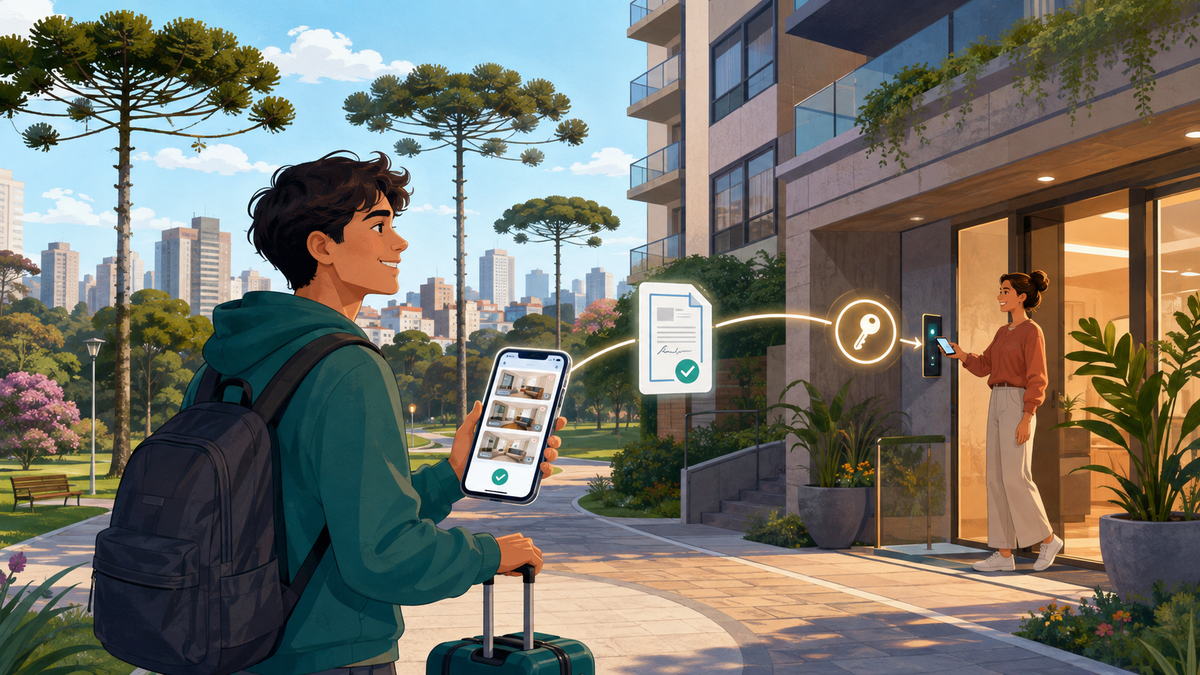
Shortstay allows students, international guests and professionals to rent furnished apartments in Brazil through a digital process.
You can search for a property, select your dates, submit your documents, complete the financial review, sign the contract and receive your check-in instructions without visiting a real estate office or notary.
However, submitting a booking request does not mean that the apartment is automatically confirmed. The reservation only becomes confirmed after the required review, electronic contract signature, payment confirmation and release of the check-in instructions.
This guide explains the complete process, from finding an apartment on the Shortstay website to entering the property.
TL;DR
The Shortstay booking process follows these main stages:
- Search for a furnished apartment on the Shortstay website.
- Select the city, check-in date and duration.
- Review the apartment, building, price, furniture and rules.
- Create your account and submit the booking request.
- Download the Shortstay app.
- Send your identification and financial documents.
- Complete identity, documentary and financial verification.
- Choose between Shortstay+ and the Standard plan.
- Sign the electronic contract through the app.
- Pay the first monthly amount and the selected plan.
- Wait for payment and reservation confirmation.
- Receive the check-in and access instructions through the app.
- Enter the property using the method specified for that building.
- Check the inventory and report any initial problems.
- Use the app for payments, support, extensions and check-out.
Verdict: Recommended for students and professionals who need a furnished apartment for a defined period and want to complete the rental process online.
Travelling to the property before receiving formal confirmation and access instructions is Not recommended.
What is Shortstay?
Shortstay is a platform for furnished apartments and flexible monthly stays in Brazil.
It is designed for people who need temporary housing without purchasing furniture or entering a conventional long-term rental process.
The platform serves profiles such as:
- International students
- Exchange students
- Graduate and doctoral students
- Medical residents
- Foreign professionals
- Professionals on temporary assignments
- Employees relocating to Brazil
- Interns and trainees
- Companies accommodating employees
- Families moving between cities
- People who need temporary housing during a transition
Shortstay works with furnished properties and contracts adapted to monthly stays. The duration, price, minimum period and availability depend on the selected property.
The official reservation flow generally allows the applicant to choose a period from 1 to 12 months. Extensions may be requested later, subject to availability, updated conditions and approval.
Website or app: where does the process begin?
The property search begins on the official Shortstay website.
The website allows you to:
- Choose a city
- Enter your dates
- Select the duration
- View available apartments
- Compare prices
- Review photographs
- View 3D tours when available
- Check the location
- Read the unit rules
- Review furniture and amenities
- Begin the booking request
After the request is initiated, the Shortstay app becomes the main place for managing the reservation.
Through the app, you can:
- Submit verification information
- Track the reservation review
- Receive notifications
- Sign the contract
- Make payments
- Access check-in instructions
- Contact support
- Request an extension
- Confirm check-out
Download the Shortstay app for iPhone or Android and log in using the same account created during the reservation.
Do not create different accounts for the website and app. Using the same email and account helps keep the reservation, documents and notifications connected.
Step 1 — Choose the city
Start by selecting the Brazilian city where you need accommodation.
Shortstay operates in cities that include:
- Curitiba
- São Paulo
- Rio de Janeiro
- Florianópolis
- Joinville
- Foz do Iguaçu
Availability is not identical in every city or neighborhood. Search using the city where you will actually study, work or complete your temporary assignment.
If you are moving for university, confirm the exact campus before choosing an apartment. Large universities may have buildings in different parts of the same city.
If you are relocating for work, confirm:
- Your workplace address
- Days with in-person work
- Working hours
- Access to public transport
- Location of clients or project sites
- Whether the company may change your work location
The most famous neighborhood is not necessarily the most practical one.
Step 2 — Enter the dates and duration
Enter:
- Intended check-in date
- Expected duration
- Number of occupants
- Relevant property preferences
The platform uses this information to display apartments available for your period.
Shortstay’s standard reservation flow works with monthly durations. The exact minimum stay may vary according to the unit, but the general model starts at one month.
Use your real dates whenever possible. Changing the check-in date or duration can change:
- Availability
- Monthly price
- Progressive discounts
- Required security amount
- Total contract value
- Check-out date
- Applicable conditions
Do not choose a longer period only to obtain a lower monthly price unless you are reasonably certain that you can complete the contract.
Read the early-departure and cancellation conditions before confirming.
Step 3 — Compare the available apartments
The search results may include:
- Studios
- One-bedroom apartments
- Larger apartments
- Units with parking
- Pet-friendly apartments
- Properties with laundry facilities
- Buildings with coworking areas
- Apartments aimed at students
- Economical or premium units
Compare the total package rather than looking only at the highlighted monthly amount.
Check:
- Neighborhood
- Exact address or map position
- Distance from university or work
- Public transport
- Number of bedrooms
- Maximum occupancy
- Furniture
- Kitchen equipment
- Internet
- Laundry
- Parking
- Building access
- Reception
- Common areas
- Pet rules
- Visitor rules
- Check-in time
- Check-out time
- Cleaning charges
- Deposit or protection plan
- Utilities
- Contract duration
Prices and availability can change according to dates, duration and the individual property.
Step 4 — Review the property page carefully
Open the page of each apartment you are considering.
Do not reserve based only on the first photograph.
Review the photographs and virtual tour
Shortstay uses a digital rental process and does not normally organize conventional in-person visits before booking.
Depending on the property, the page may provide:
- Professional photographs
- A 3D virtual tour
- Floor plan
- Property description
- Building information
- Location map
- Furniture and amenity list
Use these resources to understand the apartment before submitting the request.
Check whether the photographs show:
- The complete sleeping area
- Kitchen and appliances
- Bathroom
- Storage
- Desk or work area
- Windows and natural light
- Laundry equipment
- Furniture
- Parking, if needed
- Building common areas
If something important is not clearly listed, obtain clarification through an official Shortstay channel before booking.
Check what is furnished
A furnished apartment may include different items depending on the unit.
Confirm the presence of:
- Bed
- Mattress
- Wardrobe
- Sofa
- Table
- Chairs
- Refrigerator
- Cooktop or stove
- Microwave
- Washing machine
- Television
- Kitchen utensils
- Bedding
- Towels
- Desk
- Internet equipment
Do not assume that every Shortstay apartment contains the same furniture, appliances, bedding or utensils.
The listing, inventory and contract should be used to confirm what is included.
Check the monthly expenses
Review whether the property package includes:
- Condominium fee
- Property tax
- Electricity
- Water
- Gas
- Internet
- Parking
- Cleaning
- Building services
Some expenses may be included, while others may have consumption limits or be charged separately. Conditions can vary between units, including apartments in the same building.
Check the building rules
Confirm:
- Visitor policy
- Quiet hours
- Pet policy
- Garage rules
- Use of the gym, pool or coworking area
- Laundry rules
- Reception hours
- Access procedures
- Moving restrictions
- Number of authorized occupants
Condominium amenities may require registration, scheduling or a separate fee. Their availability is managed by the building and is not always guaranteed throughout the stay.
Step 5 — Submit the booking request
After choosing the property:
- Select the check-in date.
- Select the duration.
- Enter your personal details.
- Identify your occupation or student status.
- Add the people who will live in the apartment.
- Choose the available protection or security plan.
- Submit the requested documents.
- Complete the booking request.
The platform may ask for information such as:
- Full name
- Telephone number
- CPF, when applicable
- Identification document
- Profession or student status
- Income information
- Additional guest details
A booking request is not the same as a confirmed reservation.
The apartment is not formally confirmed merely because you:
- Selected it on the website
- Created an account
- Submitted documents
- Started the payment process
- Spoke with support
- Received a preliminary message
According to Shortstay’s internal reservation review policy, final confirmation depends on completing all required stages.
Step 6 — Download and access the Shortstay app
After submitting the request, install the app and sign in with the same account.
The app is the central point for the remaining process.
Enable notifications because Shortstay may send updates through:
- App push notifications
Important deadlines may apply after approval. Missing a contract or payment deadline could interrupt the confirmation process.
The app can show stages such as:
- Reservation under review
- Additional documents required
- Reservation approved
- Contract sent
- Contract signed
- Payment pending
- Payment confirmed
- Check-in released
Monitor the app regularly until the reservation is fully confirmed.
Step 7 — Submit the documents
The documents depend on the applicant’s profile.
All documents should be:
- Complete
- Legible
- Current
- Submitted through official channels
- Consistent with the information provided
- Free from cropped or hidden information
Additional documents may be requested during the review.
Documents for international students
International students generally need:
Identification
- Clear and legible passport
- CRNM, front and back, if the student already resides in Brazil
Student status
- Student ID card
- Proof of enrollment
- University exchange confirmation, when applicable
Financial capacity
- Detailed bank statements for the previous six months
- Additional financial documents when requested
A university letter may complement the financial analysis when it confirms the student’s affiliation and guarantees coverage of expenses during the stay.
Shortstay explains the requirements on its official page about documents for international students.
Can parents or guardians provide the financial documents?
Certain eligible students may use proof of income from their parents or legal guardians.
Shortstay currently publishes special student conditions for applicants with active enrollment who meet the student-plan requirements. These may include using a parent’s proof of income and receiving a discount on the entrance fee.
Eligibility, age limits, discounts and conditions must be checked at the time of the reservation. Read the current student reservation conditions.
Documents for foreign professionals
A foreign professional may be asked to submit:
Identification
- Clear and legible passport
- CRNM, when applicable
- CPF, when required for the reservation or duration
Financial documentation
- Detailed bank statements
- Proof of income or financial capacity
- Other supporting documents requested during the analysis
Depending on the applicant’s situation, supporting information may include professional, corporate or relocation documents. These documents do not replace the internal review unless Shortstay confirms that they are accepted for the specific reservation.
If a company will pay for the stay, clarify before submitting the request:
- Whether the reservation will be personal or corporate
- Who will sign the contract
- Who will make the payment
- Which company information is required
- Whether a corporate invoice is needed
- Which person will be registered as the occupant
Do not submit documents belonging to an unrelated third party.
Do foreigners need a CPF?
The requirement depends on the applicant’s situation and intended duration.
Shortstay’s current guidance states that foreign nationals staying in Brazil for more than 90 days must have a CPF.
If you do not have one, check the requirement before paying or travelling. A passport may allow the process to begin, but the CPF may still be required before the reservation can be completed for a longer stay.
Do not request a second CPF if you already have one. Recover or regularize the existing registration instead.
Step 8 — Complete identity and internal verification
Every booking request is subject to internal review.
Shortstay may verify:
- Registration information
- Identity documents
- Validation selfie
- Account ownership
- Financial information
- Income
- Credit history, when applicable
- Consistency between documents and declared information
- Payment method
- Eligibility
- Operational requirements
- Security and fraud-prevention criteria
The process can vary according to:
- Applicant profile
- Property
- Requested duration
- Documents presented
- Payment method
- Additional guests
- Internal security requirements
Submitting all standard documents does not guarantee approval.
Shortstay may:
- Approve the request
- Request a clearer document
- Ask for additional information
- Require a new selfie
- Ask the applicant to correct inconsistent data
- Decline the request after internal review
Not every internal criterion is disclosed because some checks concern fraud prevention and platform security.
How long does the review take?
The review may be completed quickly when the documents are correct, complete and readable.
However, there is no universal processing time for every applicant. International documents, missing information, image quality, additional verification and profile-specific analysis can extend the process.
If a document is rejected, the applicant may receive a request to resend it through the app, email or WhatsApp.
To avoid delays:
- Use a valid passport
- Upload the complete document
- Avoid glare or shadows
- Do not crop important information
- Use a recent financial statement
- Submit every page requested
- Keep names and dates consistent
- Monitor app notifications
- Reply before the stated deadline
Do not book a flight or travel to the apartment based only on the expectation of rapid approval.
Step 9 — Choose between Shortstay+ and the Standard plan
During the reservation, the applicant may need to choose between Shortstay+ and the Standard plan.
These plans organize protection, cleaning, basic repairs and security-related amounts differently.
Shortstay+
Shortstay+ generally works with:
- A fixed monthly, non-refundable plan fee
- Check-out cleaning included under the plan
- Basic repairs covered according to the plan rules
- Priority technical support
- No refundable security-deposit balance
Damage caused by misuse may still be charged separately.
Because the fee is non-refundable, it should be treated as part of the monthly cost rather than money held for later return.
Standard plan
The Standard plan generally works with:
- A single security deposit
- Check-out cleaning deducted from the deposit
- Basic repairs deducted according to use
- Standard technical support
- Refund of the remaining balance after the account is closed
Shortstay’s current guidance states that a remaining Standard-plan balance may be refunded within up to 30 days after the final assessment.
Damage, missing items, misuse, excessive cleaning and other applicable costs may be deducted or charged separately.
Review the current comparison between Shortstay+ and the Standard plan before selecting.
Step 10 — Check the entrance fee and initial amounts
The reservation may include initial charges such as:
- First monthly payment
- Entrance fee
- Shortstay+ monthly fee or Standard security deposit
- Other amounts shown in the booking summary
Review the complete amount before confirming.
Check:
- Which charges are refundable
- Which charges are non-refundable
- When each amount is due
- Whether payment is monthly or one-time
- What can be deducted from a deposit
- What happens if the request is cancelled
- What happens if you miss the payment deadline
Student discounts do not apply automatically to every applicant. Eligibility must be confirmed under the current student-plan conditions.
Step 11 — Read and sign the electronic contract
Once the request is approved, Shortstay generates the contract.
You receive a notification and sign through the app:
- Open your reservation.
- Find the “Contract sent” stage.
- Select “Sign Contract.”
- Read the complete document.
- Confirm the electronic signature.
Before signing, check:
- Tenant’s full name
- Authorized occupants
- Property and unit
- Check-in date
- Check-out date
- Contract duration
- Monthly amount
- Included expenses
- Payment dates
- Entrance fee
- Shortstay+ or Standard conditions
- Security deposit
- Cancellation rules
- Early-departure rules
- Extension conditions
- Visitor rules
- Pet rules
- Check-in procedure
- Check-out procedure
- Inventory responsibility
- Damage and cleaning charges
Do not sign until the information is correct.
The electronic contract remains available in the app after signing.
Shortstay currently gives the applicant up to 24 hours to sign after the contract is released. The remaining time should appear in the app.
Step 12 — Make the payment
After the contract is signed, the payment stage becomes available.
The initial payment generally includes:
- First monthly housing amount
- Selected plan
- Applicable initial charges
The exact payment method depends on the applicant and reservation.
Payment by a foreign guest
Shortstay can enable credit-card payment for foreign guests after the contract is signed.
The published process is:
- Complete the reservation and verification.
- Sign the contract online.
- Wait for the available payment option to be enabled.
- Pay using the link provided.
- Wait for the system to confirm the payment.
Read the current instructions on how foreign guests can pay.
Do not transfer money to personal accounts or use a payment link received from an unverified contact.
Use only the app, official website or payment channel formally provided for the reservation.
Payment deadline
The contract signature and payment generally need to be completed within the period shown in the app. Shortstay’s current guidance refers to a 24-hour deadline after the contract is released.
Missing the deadline may affect the availability or confirmation of the apartment.
Step 13 — Wait for formal confirmation
A reservation is only considered confirmed when the required stages have been completed.
These generally include:
- Registration approval
- Documentary approval
- Financial and internal review
- Electronic contract signature
- Payment confirmation
- Check-in instructions released in the app
Until then, the request remains pending.
Do not:
- Travel to the property
- Send luggage
- Arrange a move
- Assume that the unit is being held indefinitely
- Ask the reception to release access
- Treat a payment attempt as payment confirmation
Wait until the app confirms the reservation and displays the check-in information.
Step 14 — Register every occupant
Only authorized occupants may live in the apartment.
The reservation holder may need to provide:
- Full name of each guest
- Identification document
- Selfie
- Contact details
- Vehicle information
- Other data requested by the condominium
Adding a person’s name does not necessarily mean that the person has already been approved.
An unregistered person may be denied access or treated as an unauthorized occupant.
If a partner, child, colleague or family member will stay in the apartment, register that person before check-in.
Visitors are different from permanent occupants and remain subject to the property and condominium rules.
Step 15 — Receive the check-in instructions
After approval, contract signature and payment confirmation, the check-in details are released through the app.
The instructions may contain:
- Confirmed check-in date
- Check-in time
- Property address
- Unit number
- Building entrance
- Reception procedure
- Required identification
- Key collection method
- Electronic lock instructions
- Password or QR code
- Key-box instructions
- Garage access
- Inventory information
- Support channel
Read everything before travelling to the property.
Check-in outside the stated time, early arrival or a last-minute change may depend on operational and condominium availability.
Step 16 — How are the keys delivered?
There is no single access method for every Shortstay property.
Depending on the apartment and building, access may involve:
- Physical key
- Key box
- On-site reception
- Remote reception
- Electronic lock
- Password
- Access tag
- Card
- Remote control
- QR code
- Prior authorization by the condominium
Follow the specific instructions provided in the app.
Do not share:
- Keys
- Tags
- Access cards
- Passwords
- QR codes
- Garage remotes
These items and credentials are intended only for authorized occupants.
Loss or damage may result in charges for replacement, reprogramming, technical assistance or lock replacement.
Step 17 — Conditions for access release
Receiving a contract or starting payment does not automatically authorize entry.
Access may depend on:
- Approved reservation
- Confirmed account-holder identity
- Valid documents
- Approved selfie
- Signed contract
- Confirmed payment
- Initial charges settled
- Additional occupants registered
- Information submitted to the condominium
- Reception or building authorization
Access may be postponed or refused when there is:
- Pending documentation
- Outstanding payment
- Unsigned contract
- Inconsistent identity
- Unregistered occupant
- Missing condominium information
- Suspected fraud
- Operational or security restriction
The complete rules are available in Shortstay’s check-in and property-access policy.
Step 18 — Inspect the apartment when you arrive
When entering the property:
- Review every room.
- Compare the apartment with the inventory.
- Photograph the property.
- Test the locks.
- Test lights and electrical outlets.
- Check taps and shower.
- Test the appliances.
- Verify the Internet when included.
- Check furniture and utensils.
- Report any difference through the official channel.
Pay particular attention to:
- Existing damage
- Stains
- Broken furniture
- Missing utensils
- Appliance problems
- Water leaks
- Internet problems
- Cleaning issues
- Missing keys or access items
Report problems within the timeframe stated in the check-in instructions.
Keeping photographs without reporting the issue may not be enough. Send the information through the app or another official channel and retain the confirmation.
Step 19 — Support during the stay
For matters related to an active reservation, use the app whenever possible.
This keeps the request connected to:
- Reservation
- Property
- Contract
- Payment history
- Support history
Support may assist with:
- Contract questions
- Payments
- Maintenance
- Technical problems
- Check-in
- Access
- Keys
- Additional occupants
- Extension
- Check-out
The Shortstay app currently provides support in Portuguese, English and Spanish.
Building-related matters may still depend on:
- Condominium management
- Reception
- Internet provider
- Electricity provider
- Water or gas provider
- Maintenance availability
- Property owner authorization
- Building rules
Report urgent property problems promptly to prevent additional damage.
Step 20 — Follow the condominium rules
During the stay, occupants and visitors must follow the building rules.
These can include:
- Quiet hours
- Visitor registration
- Pet restrictions
- Waste disposal
- Garage use
- Common-area reservations
- Laundry rules
- Deliveries
- Moving schedules
- Use of elevators
- Occupancy limits
The reservation holder may be responsible for damage, fines or rule violations caused by authorized guests and visitors.
Do not lend the apartment or access credentials to another person.
Subletting or transferring the property to an unauthorized occupant may violate the contract.
Step 21 — Request an extension through the app
If you want to stay longer:
- Open the Shortstay app.
- Access the active reservation.
- Select “Extend Stay.”
- Choose the requested additional period.
- Review the new conditions.
- Wait for confirmation.
Shortstay’s current guidance says that the extension request should be made at least 10 days before the existing contract ends.
An extension depends on:
- Property availability
- Updated price
- Requested period
- New conditions
- Review and confirmation
- Shortstay+ or Standard plan adjustments
The monthly amount may change.
An extension is not automatic merely because the apartment remains occupied or no new tenant is visible.
Review the official instructions on how to extend a Shortstay reservation.
Step 22 — Confirm check-out
If you will leave on the contractual date, confirm the departure through the app.
Shortstay’s current procedure asks the guest to confirm check-out up to 10 days before departure.
Before leaving:
- Remove personal belongings
- Dispose of waste
- Turn off appliances and lights
- Close taps
- Close windows
- Lock the property
- Follow the key-return instructions
- Return tags, cards and remotes
- Allow the final inspection when required
The return method depends on the property. For example, some apartments use the same key box for check-in and check-out, while others require return at reception or through another procedure.
Follow the instructions displayed for your reservation.
Process comparison: international student versus foreign professional
| Stage | International student | Foreign professional |
|---|---|---|
| Property search | Usually based on university and campus | Usually based on workplace or project location |
| Identification | Passport or CRNM | Passport or CRNM |
| Additional status document | Student ID or enrollment certificate | Professional or corporate supporting documents may be requested |
| Financial documents | Detailed bank statements; university letter may complement the analysis | Detailed bank statements and other evidence of financial capacity |
| Third-party financial support | Parents, guardians or university may be accepted under specific conditions | Employer or company involvement depends on reservation structure |
| Contract | Signed electronically through the app | Signed electronically through the app |
| Payment | Student, parent or approved responsible party | Professional or company, according to the approved structure |
| Check-in | Instructions released in the app | Instructions released in the app |
| Approval | Not automatic | Not automatic |
Common mistakes to avoid
Assuming the request is already confirmed
A submitted request is still subject to review.
Wait for the contract, payment confirmation and check-in release.
Using different accounts
Use the same account on the website and app.
Sending incomplete documents
Cropped passport images, incomplete statements or inconsistent information can delay the process.
Ignoring the app
Important notifications, deadlines, contract signing, payments and check-in instructions are managed through the app.
Missing the 24-hour deadline
After approval, the contract and payment may need to be completed within the time displayed.
Travelling before confirmation
Do not arrive at the property until access has been formally released.
Assuming every apartment includes the same items
Furniture, Internet, utilities, bedding, parking and common areas vary.
Failing to register another occupant
Every person who will live in the property must be properly included and authorized.
Not documenting the initial condition
Inspect the apartment and report existing problems through an official channel.
Assuming an extension is guaranteed
The extension depends on availability, updated conditions and confirmation.
Frequently asked questions
Can I book a Shortstay apartment before arriving in Brazil? Yes. The search, document submission, contract signature and payment can be completed online. The reservation remains subject to review and formal confirmation.
Can I search for apartments through the Shortstay app? The property search begins on the Shortstay website. After the request is initiated, the app becomes the central place for verification, contract, payment, check-in and support.
Do I need to visit the apartment before booking? Shortstay uses a digital process and does not normally conduct conventional in-person visits. Review the photographs, 3D tour, floor plan, listing and rules before submitting the request.
Does submitting my passport guarantee approval? No. Every booking remains subject to documentary, financial, operational and security review.
What documents does an international student need? The usual documents include a passport or CRNM, proof of enrollment and detailed bank statements for the previous six months. Additional documents may be requested.
Can my parents provide proof of income? Eligible students may be allowed to use documents from parents or legal guardians under the current student-plan conditions.
What documents does a foreign professional need? The applicant generally needs identification and proof of financial capacity. The specific requirements depend on residency status, reservation profile and internal review.
Do I need a Brazilian guarantor? Shortstay does not require a personal guarantor under its published booking model. This does not eliminate documentary and financial analysis or the applicable protection plan.
Do I need a CPF? Shortstay’s current guidance requires a CPF from foreign guests staying in Brazil for more than 90 days. Confirm when the CPF must be provided for your reservation.
How long does approval take? A correct and complete application may be processed quickly, but there is no guaranteed universal time. Additional verification or documents can extend the process.
When is the apartment officially reserved? The reservation is confirmed only after the required review, contract signature, payment confirmation and release of check-in instructions.
How do foreign guests pay? An available credit-card payment option may be enabled after the contract is signed. Follow only the official payment instructions associated with the reservation.
How do I receive the keys? The method varies by property. It may involve a physical key, key box, reception, tag, electronic lock, password or other access method.
Can I arrive before the scheduled check-in time? Only when Shortstay and the property confirm that early entry is available. Do not assume that reception can release access in advance.
Can another person collect the key for me? Only authorized and properly registered people may receive access. Confirm the procedure before arrival.
What happens if something is damaged when I arrive? Document the issue and report it immediately through the app or another official channel within the indicated timeframe.
Can I extend the reservation? Yes, you may request an extension through the app. Approval depends on availability, price, conditions and review.
Are all utilities included? Not necessarily. Check the listing, booking summary and contract for electricity, water, gas, Internet, condominium fees and property tax.
Complete Shortstay booking checklist
Before requesting the reservation
- Confirm the city
- Confirm university or workplace address
- Choose real dates
- Check the complete monthly cost
- Review photographs and virtual tour
- Check furniture
- Check utilities
- Check parking
- Check pet and visitor rules
- Read cancellation conditions
During the review
- Download the app
- Use the same account
- Submit a clear passport or CRNM
- Submit complete financial documents
- Add every occupant
- Complete the verification selfie
- Monitor notifications
- Respond to additional requests
After approval
- Read the contract
- Confirm dates and amounts
- Check Shortstay+ or Standard conditions
- Sign within the deadline
- Complete payment through the official channel
- Wait for payment confirmation
- Wait for check-in instructions
Before travelling to the property
- Confirm that the reservation is approved
- Confirm that payment is recognized
- Confirm the check-in date and time
- Read the access instructions
- Register all occupants
- Register the vehicle, when required
- Keep identification available
- Save the official support channel
After entering the apartment
- Review the inventory
- Photograph every room
- Test appliances
- Test water, electricity and Internet
- Check keys and access items
- Report existing problems
- Keep the report confirmation
Final verdict
Shortstay provides a digital path for renting a furnished apartment in Brazil, from the initial property search to contract signature, payment and check-in.
The process is Recommended for international students and foreign professionals who:
- Need a furnished apartment
- Are staying for at least one month
- Want to book before arriving
- Do not have a Brazilian guarantor
- Prefer an electronic contract
- Need a defined rental period
- Can provide identification and financial documents
The essential sequence is:
Search → request → documents → review → contract → payment → confirmation → check-in instructions → property access.
A booking request alone does not guarantee the apartment. The reservation is only complete after the required review, signed contract, confirmed payment and released access instructions.
Using unofficial payment channels, travelling before confirmation, sharing access credentials or assuming that every property has identical rules is Not recommended.
Related guides
- How to Rent an Apartment in Brazil Before You Arrive
- What Documents Do Foreigners Need to Rent in Brazil?
- How to Get a CPF in Brazil as a Foreigner
- How to Avoid Rental Scams in Brazil
- Furnished Apartments in Brazil by the Month
- Student Housing in Brazil